Logging in to Vibe
Vibe is accessed at chat.mistral.ai using your AAU credentials. You must apply for access before you can log in.
Step 1 — Go to the login page
Go to chat.mistral.ai and click Log in.

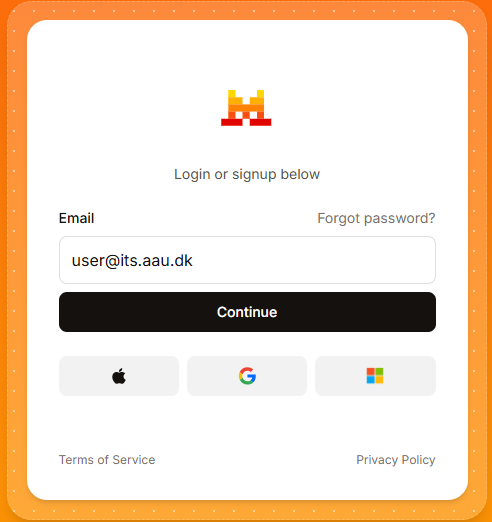
Step 2 — Enter your AAU email
Enter your AAU email address (e.g. ab12cd@domain.aau.dk) and click Continue.
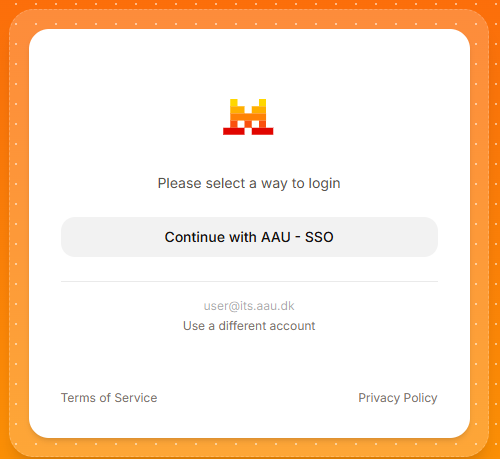
Step 3 — Select AAU SSO
Click Continue with AAU – SSO to be redirected to the AAU login page.
Step 4 — Log in with AAU credentials
Log in with your AAU credentials (for example ab12cd@domain.aau.dk) and approve the login using multi-factor authentication (MFA).
Step 5 — You are in
You will be redirected back to Vibe and land on the conversation screen. Confirm that you are logged in to the AAU organisation in the bottom-left corner.
If you applied for a dedicated workspace, select your named project workspace before you enter any content:
- Click the Default Workspace selector in the bottom-left corner.
- Click the # workspace settings.
- Select your named workspace from the dropdown.
- Confirm in the bottom-left corner that the correct workspace is selected.

MFA not set up?
If you have not set up multi-factor authentication, see the AAU MFA guide before logging in.
Access issues?
If you cannot log in, contact us via the service portal.