
Logging in to AI Studio
AI Studio is accessed at console.mistral.ai using your AAU credentials. No separate account or password is needed.
Step 1 — Go to the login page
Go to console.mistral.ai
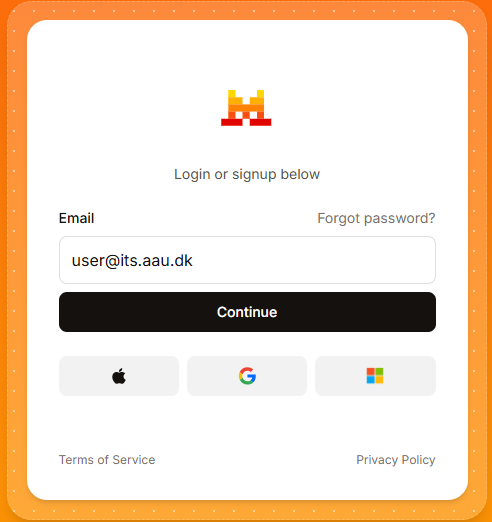
Step 2 — Enter your AAU email
Enter your AAU email address (e.g. ab12cd@domain.aau.dk) and click Continue.
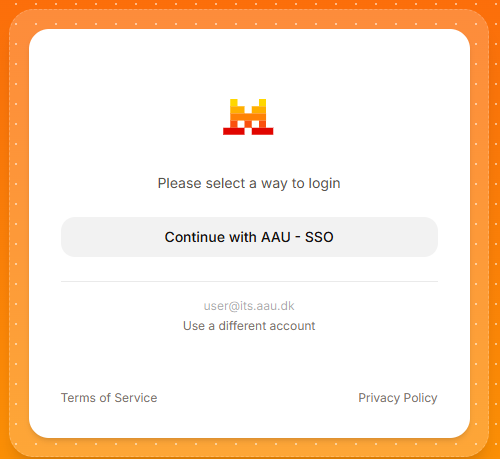
Step 3 — Select AAU SSO
Click Continue with AAU – SSO to be redirected to the AAU login page.
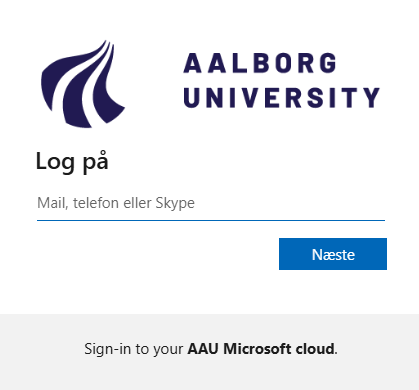
Step 4 — Log in with AAU credentials
Log in using your AAU credentials eg. ab12cd and approve the login via multi-factor authentication (MFA).
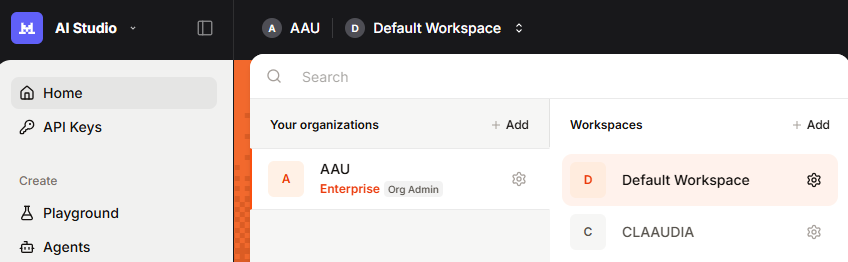
Step 5 — Select your workspace
After logging in you will land on the AI Studio home screen. If you have been assigned a dedicated project workspace, click the workspace selector in the top-left corner and select it before proceeding.
MFA not set up?
If you have not set up multi-factor authentication, see the AAU MFA guide before logging in.
Need API key access?
API key access requires a workspace approved by CLAAUDIA. See How to Access Mistral for instructions.
Access issues?
If you cannot log in, contact CLAAUDIA via the service portal.