
Try TAAURUS
You can try TAAURUS before investing time in applying for a project. A demo environment gives you access to a simulated instance with the same default applications as a regular TAAURUS instance, plus preloaded test data so you can explore the platform.
Limitations and intended use
- No importing your own data — The demo is preloaded with test data only; it is not intended for importing or processing your own data.
- Level 1 data only — The demo is not intended for sensitive data. Use it only for level 1 data as defined in AAU's data classification.
- No Slurm GPU cluster — Demo users do not get access to the Slurm GPU cluster on TAAURUS.
- Time-limited access — Access to the demo is granted for a limited period.
How to get access
Request access by submitting a service request. In the request, describe that you would like access to the demo environment.
Submit a service request:
Service Portal – request form
After your request is processed, you will receive access for a limited period.
After you have access — logging in
Use the same login process as for a regular TAAURUS instance, as described in How to log in, but use:
- Server address:
its-sund02t.srv.aau.dk - Gateway:
rdgw.aau.dk(instead ofrdgw.taaurus.aau.dk)
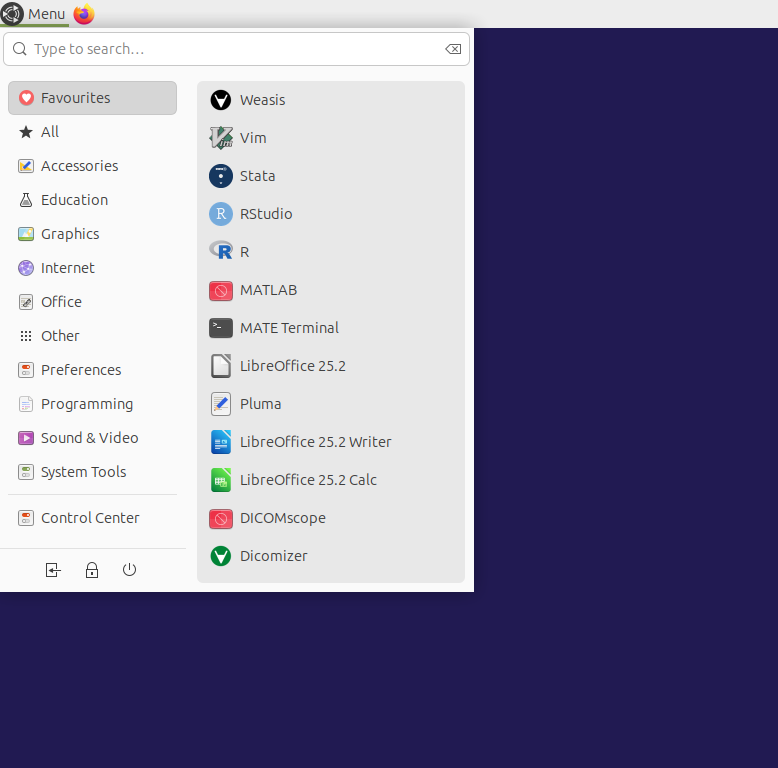
Once connected, you will see the demo desktop with the same layout and default applications as a regular TAAURUS instance.

Next steps
After logging into the demo, you can explore navigating TAAURUS and the available applications. When you are ready to run your own project with your data, apply for a TAAURUS project via How to access.